Private image metadata workbench

Image DPI Changer

When a printer, marketplace, school form, or publisher rejects a usable image because the DPI tag is wrong, you do not need a full photo editor. This image dpi changer updates the metadata those systems inspect, shows you what changed, and keeps the file on your device.

Local browser processingPNG and JPEG

DPI workbench

Set the DPI value a portal, printer, or publisher is asking for. The pixels stay the same; the metadata and print-size readout update so you know what the receiving system will see.

Your files stay on this device

Converted files

Upload PNG or JPEG files to begin.

Conversion details appear here before you download, so you can check the DPI tag, pixel size, and print-size estimate before resubmitting the file.

Metadata only

Fix the DPI tag without resampling the image.

Instant evidence

Change the target DPI and the result readout refreshes.

Private

The browser does the work without sending images away.

Formats

PNG + JPEG

Common target

300 DPI

Upload required

No

Pixel resize

No

Why people need this

Most DPI problems are compliance problems, not design problems.

People search for an image dpi changer when a workflow stops them: a 300 DPI rule, a missing density tag, a print-size mismatch, or a privacy concern around upload-based converters.

A print portal blocks the upload

The image may already have enough pixels, but the intake form checks the DPI tag first. Set the requested metadata before you resubmit.

A file looks right, but the size reads wrong

Changing DPI changes the physical size software calculates from the same pixels. Use the print-size readout to catch that mismatch.

The image is private or client-owned

Scans, proofs, product shots, and unpublished artwork should not be uploaded to a random converter for a metadata-only change.

Several files need the same requirement

Select a batch, apply one target DPI, and download files with a clear suffix so the corrected versions are easy to identify.

What we provide

The result is not just a new file. It is confidence before you send it.

A vague converter leaves you guessing whether the file will pass the next check. This tool focuses on the pieces that reduce that uncertainty: the metadata field, the before/after readout, and a local download you can trace. That is the practical job of an image dpi changer.

1

A DPI tag that receiving software can read

The image dpi changer writes PNG pHYs and eXIf metadata, then synchronizes JPEG JFIF, EXIF, Photoshop, and XMP resolution tags, so common upload portals and desktop tools see the same target DPI.

2

A before-and-after check, not blind conversion

You can see the pixel dimensions, original DPI when available, target DPI, file size, and estimated print size before using the download.

3

A local download without sending the file away

The browser reads the image, rewrites the metadata in memory, and creates a download on your device. There is no upload queue to trust.

What changes

An image dpi changer edits the instruction attached to the pixels.

DPI is a print-density instruction. It tells layout, print, or upload software how many image dots should map to one inch. A 3000 x 2400 pixel file tagged at 300 DPI is interpreted as 10 x 8 inches. The same pixels tagged at 150 DPI are interpreted as 20 x 16 inches.

That is why a file can look sharp on screen and still fail a submission rule. The portal may not be judging the visible image first. It may be reading a header and looking for 300 DPI, 200 DPI, or another required value. The image dpi changer gives you a controlled way to write that value and verify the physical-size implication.

The important boundary is honest: changing DPI does not create detail. It solves the metadata side of the problem. If the pixels are already enough, the new tag can unblock the workflow. If the pixels are not enough, the readout helps you see that before wasting another upload attempt. A transparent image dpi changer should make that boundary impossible to miss.
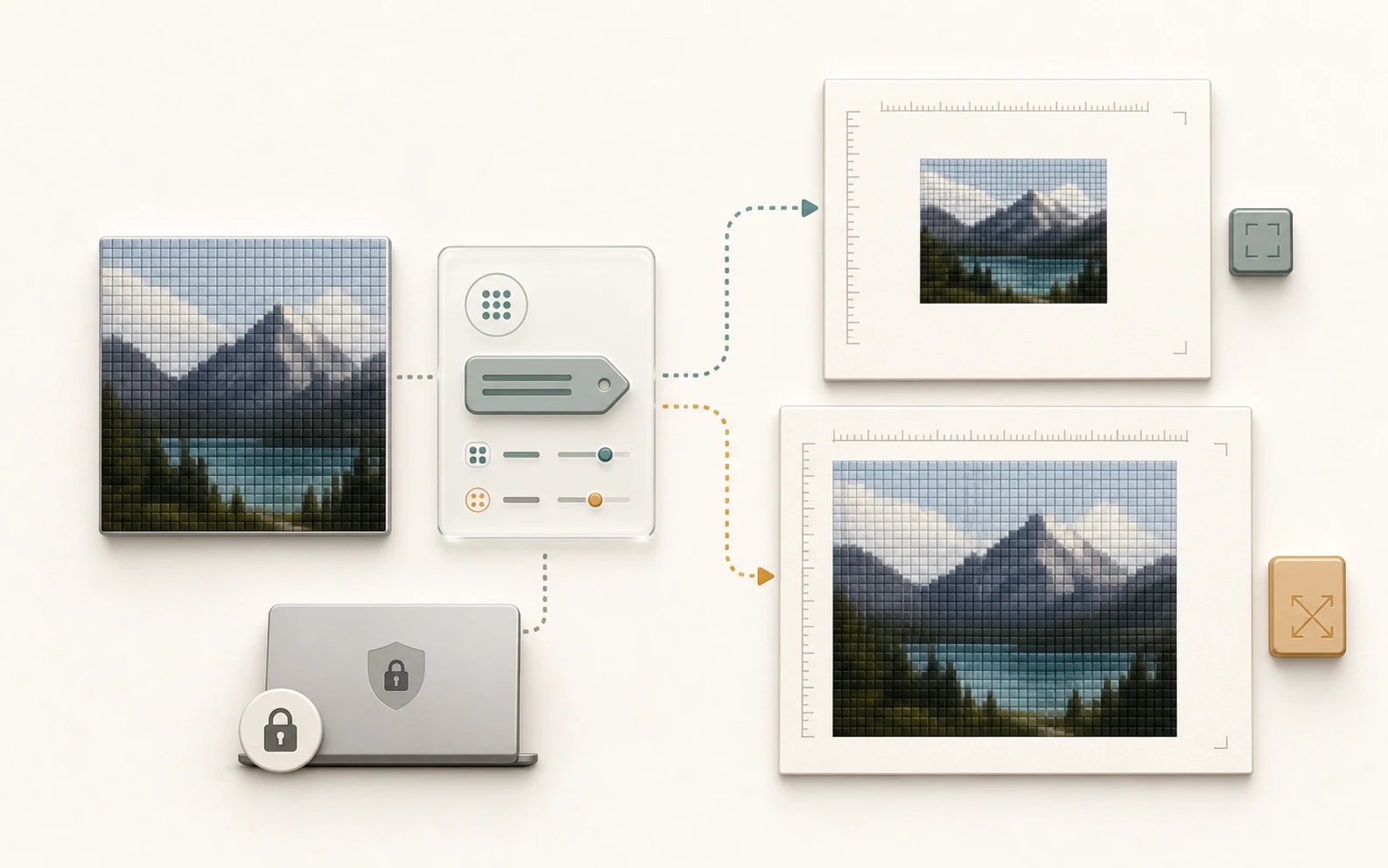
A visual explanation of unchanged image pixels flowing through DPI metadata into different print-size interpretations

Before you resubmit

Changing DPI does not add pixels. If the file is too small for the requested print size, the honest fix is a better source image or real resizing workflow.

PNG files can expose DPI through both pHYs and eXIf. This tool keeps those values aligned so macOS Preview, sips, and upload portals do not disagree.

JPEG files can carry more than one density hint. This tool updates JFIF density, EXIF XResolution/YResolution, Photoshop ResolutionInfo, and XMP tiff resolution when those tags are present.

WebP, TIFF, HEIC, PDF, RAW, and animated formats need different metadata containers, so they are intentionally outside this focused tool.

Print-size rule

An 8 x 10 inch print at 300 DPI needs 2400 x 3000 pixels. Change the tag after the pixel dimensions are already right.

Where it helps

Built for the moments where a small metadata mismatch costs real time.

The page reports original DPI when available, new DPI after conversion, pixel dimensions, print-size estimate, format, and file size. A good image dpi changer makes that evidence obvious before resubmitting.

Application and school portals

When a form asks for a 300 DPI JPEG or PNG, you can fix the density tag, confirm the print-size estimate, and send the corrected file without opening Photoshop.

Print shops and publisher intake

When the file has the right pixels but the wrong physical-size instruction, the converted download gives print software a density value it can interpret.

Client, product, and personal images

When the image should not leave your machine, the browser File API reads it locally, rewrites the header in memory, and generates the download on the same device.

FAQ

Questions that matter when a DPI rule is blocking your file.

These answers focus on the decision points that save another rejected upload: whether metadata is enough, whether the pixels are sufficient, and whether the file stays private. A useful image dpi changer should make those tradeoffs clear before you download.

My image has enough pixels. Why did the site still reject it?

Many portals do a simple metadata check before they evaluate the image itself. If the DPI tag is missing, set to 72, or set to 96, the file can fail even when the pixel dimensions are usable.

Will changing DPI make a low-resolution image print sharper?

No. DPI metadata changes how the existing pixels are interpreted for print size. It cannot create missing detail, so a small image still needs a better source file or a real resizing workflow.

When is an image dpi changer the right tool?

Use it when the requirement is about DPI, PPI, print density, or a 300 DPI metadata tag. It is especially useful for PNG or JPEG files that already have the pixels you need.

Do my images leave my browser?

No upload endpoint is used for the conversion. The browser reads the file locally, rewrites the DPI metadata in memory, and prepares the corrected download on the same device.

When should I not rely on this tool alone?

Do not use DPI metadata as a substitute for resolution. If the final print needs 2400 x 3000 pixels and your image is 900 x 600, changing DPI only changes the reported physical size.

What should I check before resubmitting the converted file?

Check the target DPI, pixel dimensions, estimated print size, output format, and file size. Those details tell you whether the file now matches the rule that blocked the first upload.